
In the world of social media, sharing high-quality content has become essential for engagement and growth. Instagram, one of the most popular platforms for photo sharing, encourages users to showcase their creativity and connect with others. However, reposting content from other users can sometimes be a challenge. This is where an Instagram photo repost app comes into play, offering a seamless solution for sharing and amplifying amazing content on your profile.
What is an Instagram Photo Repost App?
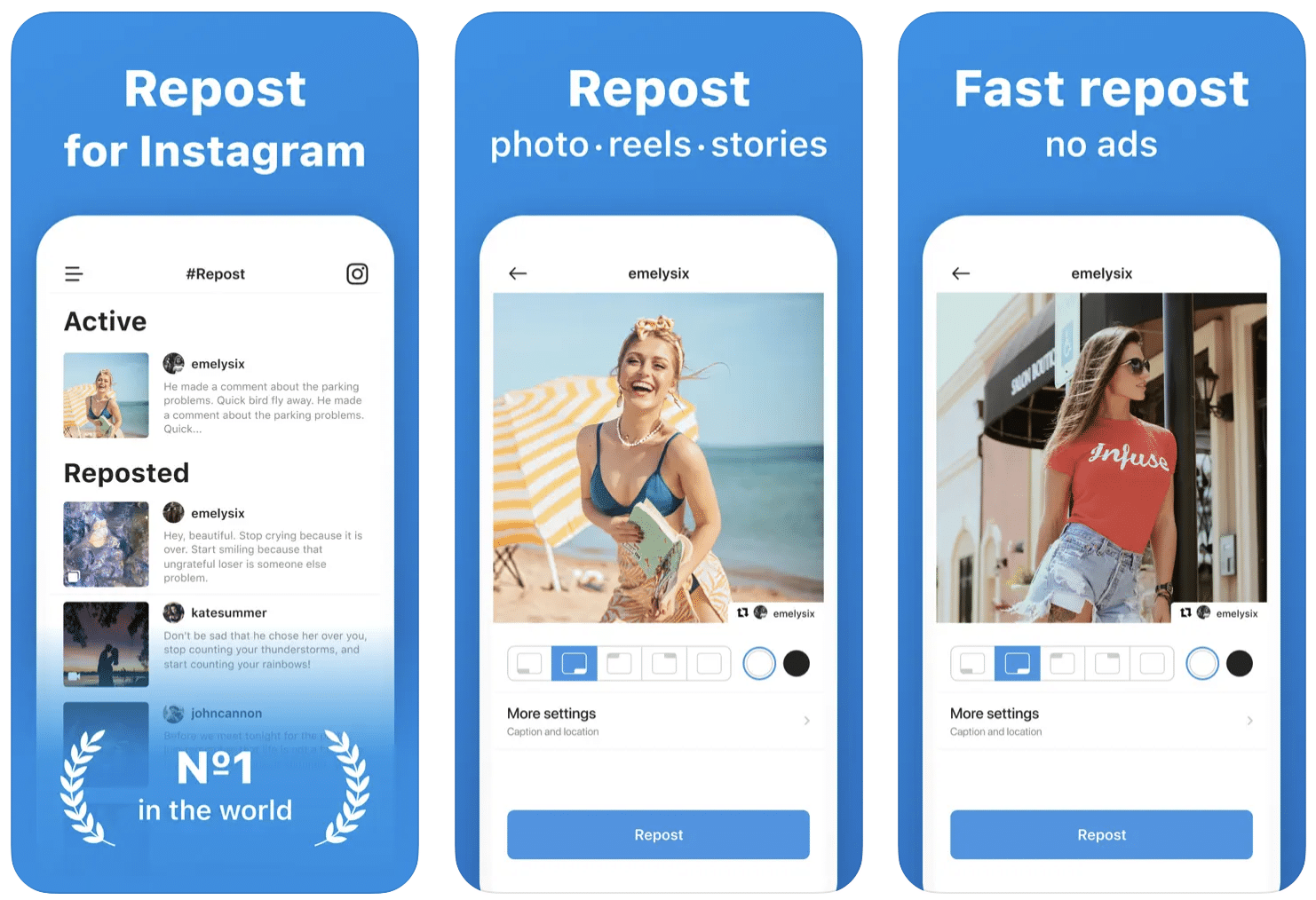
An Instagram photo repost app is a tool that allows users to easily share photos and videos originally posted by other users on their own profiles. This functionality is particularly valuable for businesses, influencers, and everyday users seeking to curate exciting and relevant content for their followers. By using a repost app, you can preserve the original content creator’s credit while efficiently sharing their work with your audience.
Why Use a Photo Repost App?
There are several compelling reasons to utilize an Instagram photo repost app:
- Content Curation: Collecting and sharing content that aligns with your brand or interests helps attract a specific audience, making your profile more appealing.
- Engagement Boost: Reposting popular content can lead to higher engagement rates, as your audience may enjoy the shared material. This, in turn, can lead to more followers and increased interaction on your posts.
- Networking Opportunities: Sharing content from other users can create connections and foster relationships with fellow Instagram users, potentially leading to collaborations and partnerships.
- Time Efficiency: Creating original content consistently can be time-consuming. Repost apps allow you to share high-quality images without the need to generate every piece of content yourself.
How to Use a Photo Repost App
Using an Instagram photo repost app is generally straightforward, but each app may have its own specific instructions. Here’s a general guide on how to use these apps effectively:
- Download and Install: First, download your chosen Instagram photo repost app from the App Store or Google Play Store. Install and launch the app.
- Find Content to Repost: Open Instagram and locate the photo or video you’d like to share. Click on the three dots at the upper right corner of the post.
- Copy Link: Select the option to ‘Copy Link’ to copy the URL of the post you wish to repost.
- Open Repost App: Return to the repost app. The copied link should automatically be detected, or you may need to paste it manually.
- Edit and Add Credit: Many apps provide options to edit the post before sharing. You can choose to add a caption or include credit to the original content creator.
- Share on Instagram: Finally, hit the repost button, and the content will be shared on your Instagram profile.
Choosing the Right Photo Repost App
With various options available, selecting the right Instagram photo repost app for your needs is crucial. Here are some factors to consider:
- User Interface: Look for an app with an intuitive and user-friendly interface that makes reposting content quick and straightforward.
- Features: Consider what features are essential for you. Some apps allow you to repost stories, while others offer advanced editing options.
- Pricing: Many repost apps are free, but they may come with ads or limited features. Determine if a premium version is worthwhile based on your needs.
- Reviews: Check reviews from other users to gauge the effectiveness and reliability of the app. This can help you avoid apps that may not deliver the promised functionality.
Best Practices for Reposting
While reposting content is a great way to share and engage, there are some best practices to keep in mind:
- Always Give Credit: It’s essential to acknowledge the original creator when reposting their content. This builds good relationships and maintains a respectful community on Instagram.
- Choose Relevant Content: Ensure that the content you choose to repost aligns with your brand and audience interests. Relevant and engaging content will keep your followers interested.
- Limit Your Reposts: While reposting is valuable, overdoing it can overwhelm your audience. Balance your original content with reposted material to maintain authenticity.
- Engage with the Original Poster: Whenever you repost content, consider engaging with the original poster by liking or commenting on their post. This encourages a sense of community and connection.
The Future of Instagram Reposting
As Instagram continues to evolve, the way we think about reposting may change as well. New features may emerge, and users will likely seek more innovative ways to share content. However, the essence of sharing and connecting through visuals will remain a vital aspect of the platform.
As you navigate the world of Instagram, incorporating a photo repost app into your strategy can significantly enhance your user experience, allowing you to share a diverse range of content while that respects the original creators. By following best practices and embracing the available tools, you can contribute to a vibrant and interconnected Instagram community.
Conclusion
In summary, an Instagram photo repost app is an indispensable tool for anyone looking to enhance their social media presence. By utilizing these apps, you can streamline content sharing, engage with a broader audience, and foster valuable connections within the Instagram community. As you explore various reposting options, aim for authenticity and consistency in your content strategy to build a strong and engaged follower base.